Moving a spreadsheet into software should begin with the work people perform around it. Who enters a record, who checks it, and what happens after a decision? Custom business software can give those steps a defined interface and access rules. Start by mapping your current spreadsheet process, then decide which steps need shared records, approvals, or a clearer interface.
Describe a complete task using a real example
A spreadsheet may already suit a simple record list managed by one person. Software becomes worth discussing when several people need different actions, status changes, or coordinated decisions. Show one example record and follow it through the current process, including the messages or documents used alongside it.
Define the input, the review, and the result someone needs to check. A request might be submitted by a team member and approved by an organizer. Exceptions matter too: missing information, a rejected request, or a record that needs correcting should have an understandable next step.
Design shared records and permissions together
A business tool needs rules for who can see and change each record. Signing in identifies the user; permissions govern the work they may do. Decide which information is shared, which is private, and who can change a status or reverse a decision.
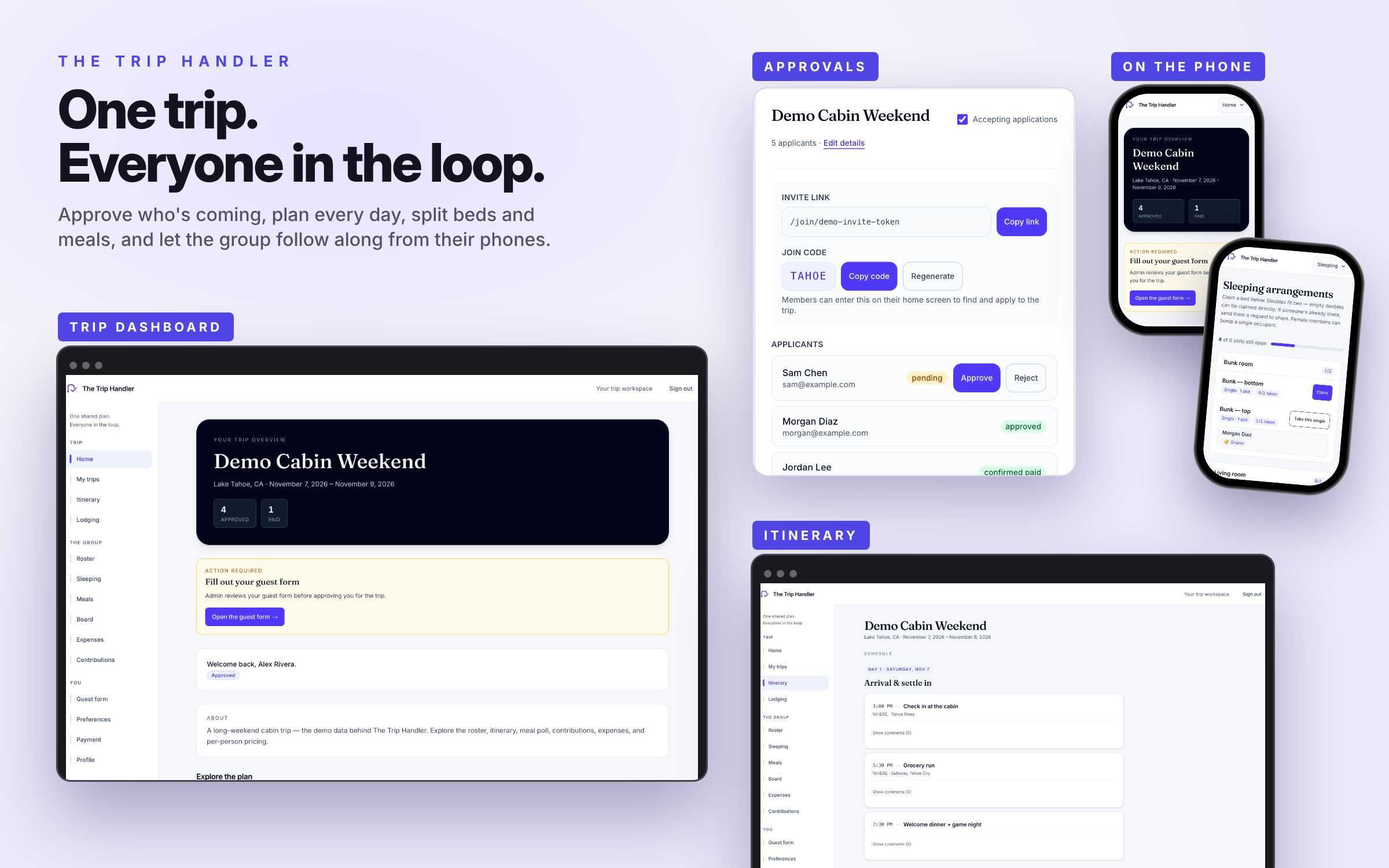
I Can Run A Show brings performer bookings, agreements, and production controls into a shared workflow. The Trip Handler shows shared records and organizer approvals. Use these application patterns as examples when defining the import rules, permissions, and review steps your spreadsheet process needs.
Plan imports and exports before retiring the spreadsheet
Existing records need a clear destination. If migration is included, map the old columns to the new fields and identify missing, duplicated, or inconsistent data. Agree how a sample import is reviewed before the full transfer. The migration work should be visible in the scope.
NYC Open Mic Master List is another selected personal project: new data sources are previewed before publication, and conflicting or missing records are flagged for review. That pattern can help explain how a proposed import might be reviewed.
Decide how records can be exported and who maintains the system. An export format may be needed for reporting, backup, or another tool. Keep the first build focused on a useful workflow, with additional dashboards or connections scoped later.
A few useful answers
Do we have to replace every spreadsheet?
No. Some lists or reports may continue to work well. Identify the task that needs better permissions or handoffs, then decide which records belong in the new system and which tools can remain.
Can existing records be moved into the software?
A migration can be scoped after reviewing the available files, fields, and data quality. It needs mapping, validation, and a review plan. An import should not be assumed to work before the existing material is assessed.